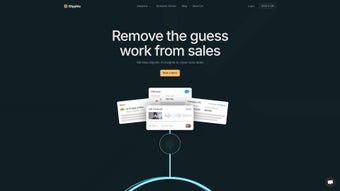

Download Glyphic – AI‑Powered Sales Automation Tool for Teams
Introduction
In today’s hyper‑competitive B2B landscape, sales teams are under constant pressure to shorten cycles, improve win rates, and keep pipelines full without drowning in repetitive administrative work. Traditional CRM systems excel at storing data but often fall short when it comes to turning raw conversation notes into actionable intelligence. That’s where Glyph — an AI‑driven sales automation platform — steps in.
Built as a cloud‑first web application, Glyphic combines natural‑language processing, real‑time data enrichment, and seamless CRM synchronization to create a virtual sales assistant that works around the clock. Whether you’re a solo founder looking to scale outbound outreach or a large enterprise seeking to standardize call preparation across dozens of reps, Glyphic promises to automate the grunt work so you can focus on relationship building and deal closing. In this review we’ll explore the product’s core capabilities, walk through the onboarding experience, examine compatibility across devices, and weigh the pros and cons based on real‑world usage.
By the end, you’ll have a clear picture of whether Glyphic fits into your technology stack, how it can boost productivity, and what steps you need to take to get started safely and securely.
Overview
Glyphic is an AI‑driven web application built specifically for sales teams that want to accelerate their pipeline while reducing manual effort. By leveraging advanced natural‑language processing and deep integrations with leading data sources such as Crunchbase, Glyphic transforms every customer interaction into a structured, actionable insight. Whether you are preparing for a discovery call, qualifying a new lead, or drafting a follow‑up email, the platform supplies the right data at the right moment, allowing sales professionals to focus on relationship building and closing deals.
The core promise of Glyphic is to automate routine, time‑consuming tasks—like lead qualification, CRM syncing, and email composition—so that your team can spend more time selling and less time on administrative overhead. In practice, this means faster response times, higher conversion rates, and a more organized sales funnel. Glyphic also excels at turning unstructured conversation notes into clean, searchable data that can be fed back into your CRM, analytics dashboards, or sales enablement tools.
By delivering real‑time talking points, next‑step recommendations, and personalized email drafts, Glyphic becomes a virtual sales assistant that works 24/7, ensuring that no opportunity slips through the cracks. The platform’s secure, cloud‑based architecture guarantees that all data is encrypted in transit and at rest, meeting enterprise‑grade compliance standards. Whether your organization runs on Windows, macOS, Android, or iOS, Glyphic’s web‑first design guarantees a consistent experience across devices, making it an ideal choice for remote or hybrid sales teams.
Key Features & Benefits
- Automated Lead Qualification: Glyphic scans incoming leads, cross‑references them with Crunchbase and other databases, and assigns a qualification score in seconds.
- CRM Sync & Enrichment: One‑click syncing of call insights, notes, and action items directly into Salesforce, HubSpot, or Microsoft Dynamics.
- AI‑Generated Talking Points: Before each call, Glyphic surfaces relevant company data, recent news, and personalized talking points to help reps sound informed.
- Personalized Follow‑Up Emails: Using conversation highlights, Glyphic drafts tailored email templates that can be sent with a single click.
- Unstructured Data Processing: Converts free‑form notes, voice transcripts, and chat logs into structured data fields for reporting.
- Real‑Time Insight Dashboard: A live view of pipeline health, activity metrics, and AI‑driven recommendations for next steps.
- Secure Cloud Architecture: End‑to‑end encryption, GDPR compliance, and role‑based access controls keep your data safe.
- Multi‑Device Access: Fully responsive web UI works on Windows, macOS, Android, and iOS browsers without additional installations.
- Continuous Learning Engine: The AI model improves over time by learning from your team’s feedback and outcomes.
- Scalable Pricing Model: Tiered plans that grow with your organization, from small teams to enterprise deployments.
These capabilities combine to create a sales enablement ecosystem where data flows seamlessly from discovery to close. By automating repetitive steps, Glyphic frees up valuable selling time, shortens sales cycles, and improves win rates. The AI‑generated talking points ensure that reps are always prepared with the most relevant information, while the follow‑up email composer guarantees consistent, high‑quality communication after every interaction. Additionally, the platform’s ability to transform unstructured conversation data into clean, actionable insights means that managers can gain deeper visibility into the health of the pipeline without manually sifting through notes. Overall, Glyphic delivers a measurable ROI by boosting productivity, reducing churn, and providing a competitive edge in fast‑moving markets.
Installation & Usage Guide
Step‑by‑Step Installation
Glyphic is delivered as a cloud‑native web application, which means there is no traditional “install” process on the end‑user’s device. To get started, follow these simple steps:
- Sign Up for an Account: Visit glyphic.ai and click the “Start Free Trial” button. Provide your corporate email, create a strong password, and verify your address via the confirmation email.
- Select a Plan: Choose a subscription tier that matches your team size. You can begin with the free tier for limited features, then upgrade as you see value.
- Connect Your CRM: In the Settings menu, locate the “Integrations” tab. Select your CRM (Salesforce, HubSpot, etc.) and follow the OAuth flow to grant Glyphic read/write permissions.
- Configure Data Sources: Enable Crunchbase and any other external databases you wish to pull enrichment data from. API keys are entered securely in the “Data Sources” section.
- Add Team Members: Invite colleagues by entering their email addresses. Assign roles (Admin, Sales Rep, Manager) to control access to sensitive data.
- Start a Test Call: Use the “Call Prep” widget to simulate a real conversation. The AI will generate talking points, which you can edit before saving.
Everyday Usage Workflow
Once the platform is configured, daily usage revolves around three core activities: preparation, capture, and follow‑up.
- Preparation: Before a scheduled call, open the “Call Prep” module. Enter the prospect’s name or import the lead from your CRM. Glyphic instantly pulls the latest company news, funding rounds, and competitor information, then presents a concise briefing with suggested talking points.
- Capture: During the call, use the built‑in note‑taking pane or enable voice transcription. Glyphic processes the conversation in real time, highlighting key phrases, objections, and next‑step commitments.
- Follow‑Up: After the call ends, click the “Generate Email” button. Glyphic drafts a personalized email that references the discussed points and outlines the agreed next steps. Review, edit if needed, and send directly from the platform or sync it back to your email client.
Because Glyphic operates entirely in the browser, you can access it from any device with an internet connection. The UI is designed for speed—most actions (like loading a prospect briefing) happen in under two seconds, ensuring that you never lose momentum in a fast‑paced sales environment.
Compatibility & System Requirements
Glyphic is a web‑based SaaS solution that runs on any modern browser, making it compatible with a wide range of operating systems and devices. Below are the officially supported platforms:
- Windows 10/11: Chrome 89+, Edge 89+, or Firefox 86+.
- macOS Catalina (10.15) and later: Safari 14+, Chrome, or Firefox.
- Linux distributions: Any recent release with a Chromium‑based browser.
- Android 8.0+: Chrome mobile or the built‑in Android WebView.
- iOS 13+: Safari or Chrome for iOS.
The application requires a stable internet connection (minimum 3 Mbps download) to ensure real‑time AI processing and CRM synchronization. For optimal performance, especially when handling large data sets or high‑volume transcription, a broadband connection of 10 Mbps or higher is recommended.
Security‑wise, Glyphic adheres to industry standards: TLS 1.2 encryption for all data in transit, AES‑256 encryption at rest, and compliance with GDPR, CCPA, and SOC 2 Type II. Role‑based access control (RBAC) allows administrators to restrict functionalities based on user roles, which is essential for enterprises with strict data governance policies.
Because Glyphic is delivered as a cloud service, there are no hardware constraints or local storage requirements. The platform automatically scales its backend resources to handle spikes in usage, so you never need to worry about server maintenance or capacity planning. Updates are pushed continuously, meaning you always have access to the latest AI models and feature enhancements without manual intervention.
Pros, Cons, Frequently Asked Questions & Final Verdict
Pros
- AI‑driven lead qualification saves hours of manual research.
- Seamless CRM integration keeps data consistent across tools.
- Real‑time talking points improve call confidence and relevance.
- Automated email generation speeds up follow‑up without sacrificing personalization.
- Secure, GDPR‑compliant architecture protects sensitive sales data.
- Works on any device with a modern browser—no installations required.
- Scalable pricing fits startups to enterprise‑level teams.
Cons
- Reliance on internet connectivity—offline mode is not available.
- Advanced AI features may require a learning curve for non‑technical sales reps.
- Some integrations (e.g., niche CRMs) are not supported out‑of‑the‑box.
- Higher‑tier plans can become costly for very large teams.
Frequently Asked Questions
Is Glyphic a free tool?
Glyphic offers a free trial with limited features. After the trial, you need to choose a paid subscription based on team size and required functionalities.
Which CRMs does Glyphic integrate with?
Out‑of‑the‑box integrations include Salesforce, HubSpot, Microsoft Dynamics, and Pipedrive. Custom integrations can be built via the Glyphic API.
How does Glyphic ensure data privacy?
All data is encrypted in transit (TLS 1.2) and at rest (AES‑256). Glyphic complies with GDPR, CCPA, and SOC 2 Type II standards, and offers role‑based access controls for enterprises.
Can I use Glyphic on a mobile device?
Yes. Glyphic’s responsive web interface works on Android 8.0+ and iOS 13+ browsers, providing the same functionality as on desktop.
What kind of support does Glyphic provide?
Glyphic offers 24/7 chat support, a searchable knowledge base, and priority onboarding assistance for paid plans. Enterprise customers also receive a dedicated account manager.
Conclusion
Glyphic lives up to its promise of turning conversation chaos into clear, actionable sales intelligence. The platform’s AI engine, combined with instant data enrichment and frictionless CRM sync, equips reps with the information they need at the exact moment they need it. While the requirement for a constant internet connection and the price of premium plans may be considerations for some organizations, the productivity gains—measured in saved research time, faster follow‑up, and higher close ratios—often outweigh these drawbacks. If you’re looking for a tool that bridges the gap between raw call notes and strategic pipeline insights, Glyphic is a compelling choice that integrates smoothly into existing tech stacks and scales as your team grows.
Glyphic delivers a powerful blend of AI automation and user‑friendly design that helps sales teams work smarter, not harder. The platform’s real‑time insights and automated email generation are especially valuable for fast‑moving sales cycles.



.png)



